The Role of AI in Modern Mobile App Development
A few years ago, “AI in mobile apps” mostly meant a recommendation algorithm working quietly in the background. In 2026, it means something more structural: AI-native apps built with artificial intelligence in mobile apps as part of the core architecture, not a feature bolted on afterward. The market for AI mobile app features reflects that shift directly, growing from a $2.94 billion market in 2024 to $5.13 billion in 2025, a 74% jump in a single year, with projections putting it at $156.9 billion by 2030. This guide covers what artificial intelligence in mobile app development actually looks like right now, the real technical shift toward on-device AI mobile apps, and where the hype outruns what most ai powered mobile applications genuinely need.
From Add-On Feature to Core Architecture
The distinction matters more than it sounds. An app with “AI” added as a chatbot widget is architecturally the same app it was before, with one more screen. An AI-native app is designed differently from the start, the model isn’t a feature you navigate to, it’s part of how the whole interface and experience behaves. Conversational interfaces are the most visible version of this shift, but the deeper change is structural: prediction, personalization, and generation happening continuously in the background, not summoned by tapping a dedicated AI button.
This shows up concretely: 60%+ of new mobile apps are projected to embed some form of AI or machine learning, and apps that mention AI in their description accounted for roughly 10% of all downloads in H1 2025, 7.5 billion downloads, a real, measurable signal that users are actively selecting for it, not just tolerating it as an add-on. Developer adoption backs this up too: roughly 84% of mobile developers now report using AI tools somewhere in their workflow, whether for user-facing features or the development process itself.
On-Device AI: The Real Technical Shift
The most significant infrastructure change isn’t a specific feature, it’s where the AI actually runs. Running models locally on the phone itself, rather than sending every request to a cloud server, moved from a nice-to-have to a genuine competitive factor in 2026. This shift is often called edge intelligence, and on-device AI mobile apps built around it behave meaningfully differently from their cloud-dependent predecessors.
The practical difference is stark:
|
Factor |
Cloud AI |
On-Device AI |
| Latency | 200-500ms round trip | Under 50ms |
| Privacy | Data leaves the device | Data stays local |
| Offline capability | Requires a connection | Works anywhere |
| Cost structure | Per-API-call billing | Fixed device cost |
Managing that cloud-side per-call cost as usage scales is exactly the kind of cloud cost optimization work that becomes relevant once an AI feature moves from prototype to production at real user volume.
Apple’s Core ML and Google’s ML Kit, alongside Qualcomm’s dedicated NPUs, now support running billion-parameter models directly on flagship phones, a genuine hardware and software maturity point that wasn’t reliably true even two years ago. The practical use cases where this matters most are exactly where latency and privacy are non-negotiable: real-time translation that works in airplane mode, health monitoring where sensitive data shouldn’t leave the device at all, AR object recognition needing instant response, and voice assistants that need to feel immediate rather than laggy.
Generative UI: Interfaces That Build Themselves
This is the newer, less widely understood concept worth naming directly. Instead of a fixed, hard-coded screen layout, a generative UI assembles itself dynamically based on what the user is actually trying to do, describe a goal, and the interface reconfigures around that intent rather than forcing the user through a predetermined navigation path.
This is a genuinely different design discipline than traditional UI/UX work, and it changes what “building a screen” even means. A developer isn’t just designing one fixed layout anymore; they’re designing the rules and constraints an AI-generated layout has to follow. It’s early, most production apps today use this for specific, bounded features (a note-taking app assembling a custom summary view, for instance) rather than reconstructing an entire app’s interface on the fly, but it’s a real, active direction, not speculative.
Where AI Is Already Delivering Measurable Results
Personalization. Real-time adaptive recommendations, driven by personalization algorithms the kind Netflix and Spotify have run for years, are now standard across e-commerce, fitness, and content apps generally. AI-driven personalization measurably increases engagement by 40-60%, a real, substantial number, not a rounding-error improvement.
Predictive analytics. Machine learning mobile apps increasingly use predictive analytics to anticipate what a user needs before they ask, a fitness app forecasting recovery time from sleep data, a retail app predicting restock timing from purchase patterns. This is a distinct capability from personalization: personalization reacts to established preference, prediction anticipates a future need. None of this works without the underlying data engineering feeding clean, well-structured data into the model in the first place, the mobile-facing feature is only as good as the pipeline behind it.
Natural language processing. Voice interfaces, smart replies, and conversational search all rely on natural language processing that’s become dramatically more capable and more efficient to run, including on-device, over the past two years, a meaningful shift from NLP requiring a round-trip to a cloud server for every interaction.
Development speed itself. Generative AI tools, AI pair programming, automated test generation, AI-assisted debugging, can cut development time by up to 50% on applicable tasks. This is a genuinely different kind of AI impact than user-facing features: it changes how fast a team can ship, not just what the shipped app does.
Smarter notifications. Context-aware timing, sending a notification when someone is actually likely to engage rather than on a fixed schedule, reduces notification fatigue while improving actual response rates, a small-sounding but measurably valuable use of predictive modeling.
Fraud detection and security. Banking and fintech apps have used ML-driven fraud detection for years, and the sophistication of these models has increased substantially as more transaction data and better architectures become available.
Where the Hype Outruns Reality
Not every AI feature is a genuine improvement. A chatbot bolted onto an app that didn’t need one, or a “personalization” feature indistinguishable from a slightly-more-fancy filter, is marketing dressed as innovation. The honest signal to watch for: does the AI feature change what the app can do, or just add a layer of AI-flavored language to something a simpler rule-based system already handled adequately? Genuine cases, on-device translation, real adaptive personalization, generative UI for a genuinely variable task, hold up under that question. A lot of “AI-powered” feature lists don’t.
There’s also a real, unresolved tension worth naming honestly: data privacy and bias remain genuine, unsolved challenges, not solved problems the industry has moved past. On-device AI addresses the privacy half of that concern meaningfully; it doesn’t resolve model bias, which requires deliberate, ongoing evaluation regardless of where the model runs, the same kind of governance and compliance discipline that matters for any system making automated decisions about real people, not a mobile-specific problem.
What This Means for Development Teams
Building AI into a mobile app requires treating it as an architectural decision made early, not a feature request handled by whichever engineer is free that sprint. That means deciding upfront whether a given capability belongs on-device or in the cloud (a decision with real latency, privacy, and cost implications, not just a technical preference), and building in genuine testing for AI-specific failure modes, a personalization model that’s confidently wrong is a different problem than a crashed screen, and needs different QA discipline to catch. Once live, the model itself needs ongoing monitoring for drift and degradation, the same way any production system does, a model that performed well at launch doesn’t necessarily stay that way as real user behavior diverges from training data over time.
The Bottom Line
AI in mobile app development in 2026 means something more specific than it did even two years ago: on-device models running in under 50 milliseconds, interfaces that assemble themselves around user intent, and measurable engagement and development-speed gains backed by real data, not just marketing language. The genuine opportunity is real, a $5.13 billion market growing 74% year over year isn’t hype. The genuine risk is treating every feature request as an excuse to bolt on AI regardless of whether it solves an actual problem better than a simpler approach would.
Building AI Into a Real Mobile Application
Deciding where AI genuinely belongs in your app’s architecture, and building it with real testing discipline, not just a demo that works once, is exactly the kind of work AI software development covers. Getting the AI-specific testing right, catching a confidently wrong personalization model before it ships, is equally real work, covered by genuine AI QA and automation testing rather than treating AI features as exempt from the same rigor as the rest of the app. If you’re building this into a real product, that’s a conversation we’re happy to have.
Frequently Asked Questions
How AI is changing mobile app development?
The shift is architectural, AI moving from an add-on feature to a core part of how apps are designed, particularly through on-device processing and generative interfaces that adapt to user intent rather than following fixed layouts.
What are the real benefits of AI in mobile apps?
Measurable ones include 40-60% higher engagement from AI-driven personalization and up to 50% faster development time using AI-assisted coding and testing tools, both backed by real, current industry data rather than marketing claims alone.
On-device AI vs cloud AI mobile apps: what’s actually the difference?
On-device AI runs models directly on the phone’s hardware, delivering under-50ms response times, working offline, and keeping data local. Cloud AI processes requests on remote servers, typically with 200-500ms latency and ongoing per-call costs, but supports larger models than current phone hardware can run locally.
What are real examples of AI in mobile applications today?
Real-time translation, health monitoring with on-device processing, adaptive e-commerce recommendations, AI-assisted photo and video editing, fraud detection in banking apps, and context-aware notification timing are all in production today, not speculative.
How to add AI features to a mobile app without over-engineering it?
Start with the specific user problem the AI is meant to solve, and honestly evaluate whether a simpler rule-based approach already handles it adequately, genuine AI value shows up where personalization, prediction, or generative interface behavior meaningfully outperforms a fixed alternative.
What is generative UI in mobile apps?
An interface design approach where the layout assembles dynamically based on user intent, rather than following a fixed, pre-designed screen structure, a newer, still-maturing concept distinct from traditional adaptive or responsive design.
What’s the future of AI in mobile app development?
Continued growth in on-device model capability, wider adoption of generative UI beyond narrow use cases, and, per current industry projections, the large majority of new mobile apps embedding some form of AI as a baseline expectation rather than a differentiator.
Keep reading

RAG Architecture for Private Company Data
Somewhere in your company right now, an employee asks an AI assistant a question it can't answer, not because the model is weak, but because it…
Read article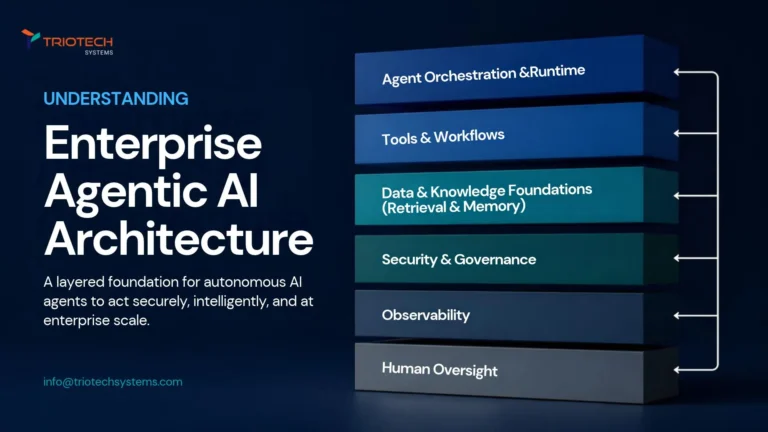
Enterprise Agentic AI Reference Architecture
Gartner projects that 40% of enterprise applications will feature task-specific AI agents by the end of 2026, up from under 5% just two years earlier, and…
Read article
AWS Trainium and Inferentia vs Azure AI Accelerators vs Google TPU
Before comparing specs, there's one fact that changes how you should actually read this AWS Trainium vs Azure vs Google TPU comparison: none of these chips…
Read articleBuilding on AI or the cloud?
Get a security architect's review of your cloud, CI/CD and AI agent permissions. Free.