

Introduction
Choosing between Amazon Lex, Microsoft Copilot Studio, and Google Conversational Agents has gotten more complicated, not less, as all three platforms shift from simple chatbot builders toward full AI agent development environments. The decision now involves more than picking a chatbot tool, it means choosing an ecosystem for AI agents, workflow automation, and generative AI integration that your team will likely build on for years. Amazon Lex vs Microsoft Copilot Studio vs Google Conversational Agents comes down to a few concrete factors: which cloud your infrastructure already lives in, whether you need low-code accessibility for business users or deep developer customization, and how central AI agent platform and capabilities, not just scripted chatbot flows, are to your roadmap. This comparison breaks down what each platform actually does well, where each falls short, and which one fits specific enterprise, developer, and business-user scenarios.
Quick Comparison Table
|
Feature |
Amazon Lex | Microsoft Copilot Studio |
Google Conversational Agents |
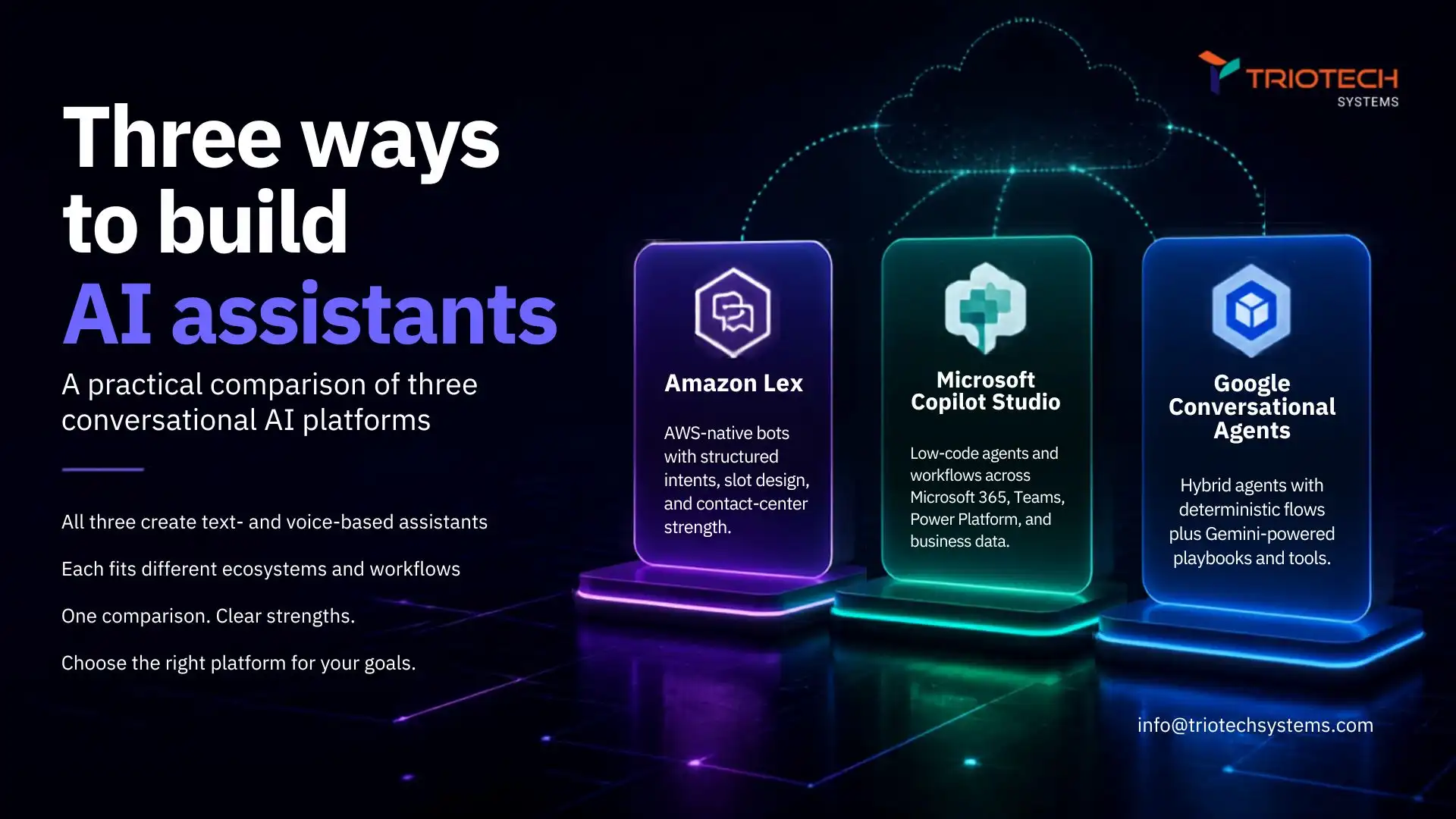
| Platform focus | AWS-native conversational interfaces | Low-code AI agents and Copilots for Microsoft 365 | Enterprise conversational AI, now under the Gemini Enterprise Agent Platform |
| Conversational AI capabilities | Intent/slot-based NLU, voice and text | Topic-based conversation design, generative answers | Advanced NLU, generative and agentic capabilities |
| AI agent development | Via Bedrock Agents integration | Native, but adoption gap reported at scale | Native, via Gemini Enterprise Agent Platform (formerly Vertex AI Agent Builder) |
| Low-code capabilities | Limited, more developer-configured | Strong, built for business users | Moderate, Agent Studio low-code builder plus code-first ADK |
| Voice support | Yes, native (text-first architecture) | Limited native voice, primarily text/chat-first | Yes, via Contact Center AI integration |
| Enterprise integration | AWS (Lambda, Connect, Bedrock) | Microsoft 365, Power Platform (1,300+ connectors), Dynamics | Google Cloud, BigQuery, Gemini Enterprise ecosystem |
| Developer flexibility | High, Lambda-based custom logic | Moderate, Power Platform extensibility | High, Agent Development Kit (Python, Go, Java, TypeScript) |
| Best suited for | AWS-native teams, contact center integration | Microsoft-centric orgs, business-user-led agent building | Google Cloud-native teams, complex multi-agent orchestration |
What Is Amazon Lex?
Amazon Lex is a conversational AI service for building voice and text interfaces using the same underlying technology behind Alexa, deeply integrated with the rest of AWS. Its core model is intent- and slot-based: you define what a user might want (an intent) and what information you need to fulfill it (slots), and Lex handles the conversational logic to collect that information across multiple turns.
Lex’s real strength is AWS ecosystem integration, native connections to Lambda for custom business logic, Amazon Connect for contact center deployment, and increasingly, Amazon Bedrock for teams wanting to layer generative AI and agent capabilities on top of Lex’s conversational foundation. Its architecture is fundamentally text-first, with voice added as a layer on top, which shows up in interaction latency compared to voice-native alternatives, worth testing directly if voice experience quality is a primary requirement.
Best for: AWS-native teams building conversational interfaces integrated with Lambda and Connect, especially where deep custom logic matters more than a highly polished low-code authoring experience.
What Is Microsoft Copilot Studio?
Microsoft Copilot Studio is Microsoft’s low-code platform for building AI agents and Copilots, rebranded from Power Virtual Agents in late 2023 with substantially expanded capabilities since. It’s built for business users and IT teams to create custom agents without deep engineering resources, connecting natively into Microsoft 365, Power Platform’s connector ecosystem, and Dynamics.
The platform’s real strength is accessibility, a visual, topic-based conversation designer that lets non-developers build functional agents quickly, backed by generative AI for more flexible, less rigidly scripted responses. The honest limitation worth knowing: Gartner research cited in recent industry analysis found only about 6% of organizations piloting Copilot Studio moved to larger-scale production deployment, and some regulated-industry enterprises have reportedly moved away from it over the lack of on-premises or air-gapped deployment options and its per-message Copilot Credit billing model, worth verifying against your own compliance requirements before committing at scale.
Best for: Microsoft-centric organizations where business users, not just developers, need to build and iterate on agents, particularly for internal workflow automation across Microsoft 365 and Power Platform.
What Are Google Conversational Agents?
Google Conversational Agents is Google Cloud’s current name for its conversational AI product line (the successor to Dialogflow CX), and it now sits inside a considerably larger platform: Google rebranded Vertex AI Agent Builder as the Gemini Enterprise Agent Platform at Google Cloud Next 2026, folding in the earlier Agentspace product without requiring existing customers to migrate. If you’re comparing documentation from before April 2026, expect some of it to reference names that have since changed.
The platform offers a low-code visual builder (Agent Studio) for prototyping through natural-language configuration, alongside a code-first Agent Development Kit (ADK) available in Python, Go, Java, and TypeScript for production-grade, multi-agent orchestration, a wider span between low-code and deep-code than either competitor offers in a single platform.
Best for: Google Cloud-native teams needing both quick low-code prototyping and genuine multi-agent orchestration depth, without switching platforms as complexity grows.
Feature-by-Feature Comparison
Conversational AI and Natural Language Understanding
All three handle intent recognition and multi-turn context reasonably well. Lex’s slot-filling model is straightforward but can feel rigid for non-linear conversations; Copilot Studio’s topic-based design and Google’s Agent Studio both handle branching, complex dialogues more fluidly.
Generative AI and AI Agent Capabilities
All three now support AI agent development, not just scripted chatbots, Lex via Bedrock Agents integration, Copilot Studio natively, Google via the Gemini Enterprise Agent Platform’s ADK. Depth of agent orchestration (multi-agent workflows specifically) is currently strongest on Google’s platform given the ADK’s explicit multi-agent design.
Low-Code vs. Developer-Focused Development
Copilot Studio is the clear low-code leader for non-technical business users. Google offers both ends via Agent Studio and the ADK. Lex leans more developer-configured overall, with less of a polished low-code authoring layer than the other two.
Enterprise Integration
Each integrates best within its own cloud, Lex with AWS services, Copilot Studio with Microsoft 365 and Power Platform’s 1,300+ connectors, Google with BigQuery and the broader Gemini Enterprise ecosystem. Cross-cloud integration is possible for all three but adds real complexity.
Voice and Chatbot Capabilities
Lex is text-first with voice layered on top, which can introduce noticeable turn-taking latency in voice-heavy use cases. Google’s Contact Center AI integration is built with voice-heavy contact center scenarios in mind. Copilot Studio’s voice capabilities are less mature than either competitor’s, with the platform’s primary strength remaining text/chat-based agents.
Security, Governance and Enterprise Scalability
All three offer enterprise-grade identity and access management through their respective cloud IAM systems. Copilot Studio’s reported gap in on-premises and air-gapped deployment is a real consideration for regulated industries specifically, verify current deployment options directly against your compliance requirements rather than assuming parity across all three.
Pricing and Cost Considerations
All three platforms use consumption-based pricing tied to usage, messages, requests, or sessions processed, layered on top of the underlying cloud infrastructure cost. Microsoft Copilot Studio’s Copilot Credit model is worth understanding specifically, since it bills per message rather than a flatter per-session rate, which can affect cost predictability differently than the other two platforms’ models.
The platform’s direct cost is rarely the full picture. A more useful framework: Total Cost of Ownership = Platform Cost + Development + Integration + Maintenance + Infrastructure. A platform with a lower headline rate can still be more expensive overall if it requires significantly more custom development time, ongoing maintenance, or integration work to reach production, which is part of why the Copilot Studio pilot-to-production gap cited earlier is worth taking seriously as a real cost signal, not just an adoption statistic. Verify current pricing directly against each provider’s official pricing page, since all three adjust rates and billing models periodically.
Which Platform Is Best for Different Use Cases?
Best for AWS-centric businesses: Amazon Lex, particularly where Lambda and Amazon Connect are already core infrastructure.
Best for Microsoft ecosystem organizations: Microsoft Copilot Studio, especially for internal workflow agents built by business users across Microsoft 365.
Best for Google Cloud environments: Google Conversational Agents, particularly where multi-agent orchestration or BigQuery integration matters.
Best for developers: Lex and Google’s ADK both offer deep customization; Google’s multi-language SDK support gives it a slight edge for teams wanting production-grade agent orchestration specifically.
Best for low-code development: Copilot Studio remains the strongest choice for non-technical teams building and iterating without engineering support.
Best for enterprise AI automation: Depends more on existing cloud ecosystem and compliance requirements than any universal capability gap between the three.
Best for customer service automation: All three support this well; Google’s Contact Center AI integration and Lex’s Amazon Connect integration are both purpose-built for contact center deployment specifically, more so than Copilot Studio’s current strengths.
Pros and Cons
Amazon Lex
Pros: Deep AWS integration (Lambda, Connect, Bedrock); mature contact center deployment path; strong developer customization.
Considerations: Text-first architecture can introduce voice latency; less polished low-code authoring than competitors; slot-filling model can feel rigid for complex, non-linear conversations.
Microsoft Copilot Studio
Pros: Strongest low-code accessibility for business users; deep Microsoft 365 and Power Platform integration; fast time-to-first-agent.
Considerations: Reported gap between pilot and production-scale deployment; limited on-premises/air-gapped options for regulated industries; less mature native voice capabilities.
Google Conversational Agents
Pros: Spans low-code (Agent Studio) and deep-code (ADK) in one platform; strong multi-agent orchestration; recent Gemini Enterprise Agent Platform consolidation broadens capability.
Considerations: Naming and platform structure changed significantly in 2026, creating documentation confusion during the transition; less native low-code simplicity than Copilot Studio for pure business-user use cases.
How to Choose the Right Conversational AI Platform
- Where does your infrastructure already live? (AWS, Microsoft, or Google Cloud)
- Do business users need to build agents directly, or is this developer-owned?
- How central are AI agents and multi-agent workflows to your roadmap, versus simpler scripted chatbots?
- What are your voice interaction requirements specifically?
- Do you have on-premises, air-gapped, or specific regulatory deployment requirements?
- What’s the realistic total cost of ownership, not just the platform’s headline pricing?
- How much custom development and integration work can your team realistically support?
Conclusion
Amazon Lex, Microsoft Copilot Studio, and Google Conversational Agents have all evolved well beyond simple chatbot builders into genuine AI agent platforms, and the right choice depends far more on your existing cloud ecosystem and who’s building the agents than on any single feature gap. AWS-native teams needing deep Lambda and Connect integration should default to Lex. Microsoft-centric organizations where business users need to build agents directly should look at Copilot Studio, with the honest caveat that production deployment at scale has a documented gap worth planning around. Google Cloud-native teams needing genuine multi-agent orchestration should evaluate the Gemini Enterprise Agent Platform. Whichever you choose, model the total cost of ownership, not just the platform’s headline pricing, before committing to a build.
If you’re weighing these three platforms for a real production build, TRIOTECH SYSTEMS works across AWS, Microsoft, and Google Cloud building the infrastructure these AI agents actually run on. Talk to an engineer who’s implemented all three, not just read the documentation, reach us through our contact page.
Frequently Asked Questions
What is the difference between Amazon Lex and Microsoft Copilot Studio?
Amazon Lex is a developer-oriented, AWS-integrated conversational AI service built around intents and slots. Microsoft Copilot Studio is a low-code agent-building platform designed for business users within the Microsoft ecosystem. The core difference is accessibility and ecosystem, Copilot Studio for non-technical builders on Microsoft 365, Lex for developers building on AWS.
Is Microsoft Copilot Studio better than Amazon Lex?
Neither is universally better. Copilot Studio wins on low-code accessibility and Microsoft ecosystem integration; Lex wins on AWS-native developer flexibility and contact center integration. The right choice depends on your existing cloud ecosystem and who’s actually building the agents.
How do Google Conversational Agents compare with Amazon Lex?
Google Conversational Agents, now part of the Gemini Enterprise Agent Platform, offers stronger native multi-agent orchestration through its Agent Development Kit. Lex offers deeper AWS-specific integration. Teams already on Google Cloud generally get more value from Google’s platform than switching just for a feature difference.
Which platform is best for enterprise chatbots?
There’s no single best platform for every enterprise, it depends on your cloud ecosystem, integration requirements, and automation goals. All three scale to enterprise volume; the deciding factor is usually ecosystem fit and deployment requirements, not raw chatbot capability.
Which conversational AI platform is best for developers?
Amazon Lex and Google’s Agent Development Kit both offer deep developer customization. Google’s ADK has an edge for teams specifically building multi-agent orchestration in production, given its explicit multi-language SDK support for that use case.
Which platform is best for low-code chatbot development?
Microsoft Copilot Studio, by a clear margin, for pure low-code accessibility aimed at non-technical business users. Google’s Agent Studio offers a capable low-code option too, but pairs it with more technical depth than Copilot Studio typically requires.
Can these platforms support AI agents, not just chatbots?
Yes, all three now support AI agent development beyond scripted chatbot flows, Lex via Bedrock Agents, Copilot Studio natively, and Google through the Gemini Enterprise Agent Platform’s Agent Development Kit, which currently offers the most explicit multi-agent orchestration support of the three.
Which platform is best for business process automation?
Microsoft Copilot Studio’s deep Power Platform integration (1,300+ connectors) gives it a practical edge for workflow automation specifically, provided your organization is already Microsoft-centric, the connector breadth matters more than raw AI capability for this use case.
How should businesses choose a conversational AI platform?
Start with your existing cloud ecosystem, since cross-cloud integration adds real cost and complexity. From there, weigh who’s building the agents (developers or business users), how central AI agents are to your roadmap, and total cost of ownership, not just the platform’s headline pricing.