Secure Tool Calling: Security Best Practices for AI Agents

AI agents do more than generate text. They call APIs, query databases, update records, run workflows, and talk to external services. Each of those abilities is useful, and each becomes a risk when an agent holds excessive permissions or runs tool calls nobody validated. A single manipulated instruction can turn a helpful assistant into an unauthorized actor that reads confidential records or moves money.
The core principle is simple: an AI model may propose a tool call, but trusted application controls must validate and authorize the action before execution. The model suggests, and your code decides. Secure tool calling in AI agents puts that principle into practice through least-privilege access, input validation, authorization outside the model, protected credentials, isolated execution, human approval for high-risk actions, and complete audit logging.
This guide covers AI agent tool security for enterprise teams in the USA and Canada: how tool calling works, where it breaks, and how to secure it from request to execution. It explains secure agentic AI design for large language models (LLMs), prompt injection attacks, and the Model Context Protocol (MCP), with guidance you can apply to your own AI agent security program and wider enterprise AI security strategy.
Key takeaways
- The model proposes; trusted code validates, authorizes, executes, and logs.
- Give each agent a deny-by-default tool allowlist and the narrowest permissions per task.
- Treat every retrieved document, web page, and tool output as untrusted data.
- Require human approval only for high-risk, hard-to-reverse actions.
- MCP gives you a standard connection, not a security guarantee.
What Is Secure Tool Calling?
What is secure tool calling in AI agents? Secure tool calling is the practice of letting an AI application or agent invoke tools under controlled permissions, validated inputs, enforceable policies, and continuous monitoring.
Eight stages make up the process, and each one is a separate control:
- Tool selection: the model chooses a tool from those available to it.
- Tool-call generation: the model produces a tool name and arguments.
- Input validation: trusted code checks the name and arguments.
- Authentication: the system verifies who or what is calling.
- Authorization: a policy decides whether this caller may perform this action.
- Execution: the tool runs in a controlled environment.
- Output handling: the application validates and treats the result as data.
- Audit logging: the system records what happened.
Tool calling security depends on this separation. LLM tool calling and function calling let a model request actions, but a model’s decision to call a tool is not a security authorization. The model has no authority of its own, so every proposed call needs the same checks a request from any untrusted client would receive. Secure function calling and secure tool use in LLM applications follow the same rule.
How AI Agent Tool Calling Works
Here is how AI agents securely call APIs, step by step. Tool invocation and function execution follow nine steps. Implementations vary, but the sequence holds across most architectures:
- A user submits a request.
- The application establishes the user’s identity and applicable context.
- The model proposes a tool call.
- The application validates the tool name and arguments.
- The authorization layer checks permissions and policy.
- The system requests approval if the action requires it.
- The tool executes in a controlled environment.
- The application validates and handles the result.
- The system records the action and relevant security events.
Secure tool-calling flow:
User → Agent → Tool Registry → Input Validation → Authorization Policy → Approval (if needed) → Tool/API → Output Validation → Audit Log
The tool registry lists every tool the agent may use, with tool schemas, structured arguments, and a risk level. Tool routing sends approved calls to the right backend, and agent orchestration coordinates multi-step workflow execution across tools. Agent-to-tool communication should cross a trust boundary at every hop, which is how to build a secure agentic AI architecture: each hop validates, authorizes, and logs. A secure AI agent architecture also treats external system integration as untrusted until proven otherwise. For a deeper view of where these layers sit, see our enterprise agentic AI reference architecture and our comparison of agent runtimes on AWS, Azure, and Google.
Why Secure Tool Calling Matters for Enterprise AI
When an agent can act, the cost of a mistake changes from a wrong answer to a wrong action. Realistic enterprise exposures include:
- Unauthorized data access: a support agent reads customer files outside the current ticket.
- Unapproved transactions: a finance agent submits a payment because a document told it to.
- Sensitive record changes: an HR assistant edits compensation data.
- Excessive privileges: one shared administrator credential serves every agent.
- Credential theft: an API key leaks through a prompt, a log, or tool output.
- Prompt injection: hidden text in an email or web page steers the agent.
- Compromised tools: a malicious or poisoned tool changes behavior after approval.
- Data exfiltration: the agent sends confidential content to an external endpoint.
- Untrusted tool outputs: a result contains instructions the agent then follows.
- Inadequate auditability: nobody can reconstruct who authorized what.
OWASP lists excessive agency among its Top 10 risks for LLM applications, and it traces the problem to excessive functionality, excessive permissions, and excessive autonomy. That framing is a useful checklist for any tool review. Enterprise AI agent security starts by removing each of the three. That is how to prevent unauthorized AI agent actions: remove standing access, narrow tools, and check every call. Sensitive information exposure and data leakage follow when any of those controls is missing, and insecure agent autonomy makes both worse.
Core Security Controls for Secure Tool Calling
How to secure tool calling in AI agents: apply the eight controls below, together. Together they deliver secure AI tool execution and tool execution security from the first proposed call to the final audit entry.
1. Least-Privilege Tool Access
Give each agent only the tools and actions its task requires. This is how to implement least-privilege access for AI agents, and how to restrict AI agents from accessing unauthorized tools: an unregistered tool is an unreachable tool. AI agent permissions and AI agent tool access should be defined per task. Least-privilege access means separating read-only access from write, delete, administrative, and transaction permissions, and granting them independently. Permission boundaries keep one agent’s authority from spilling into another’s. Tool permissions should map to resource-level access: “read invoices for this customer,” not “read the finance database.”
2. Strong Authentication and Authorization
This section covers how to implement authorization for AI agent tools and how to secure AI agent access to enterprise systems. Authentication proves who is calling. Authorization decides what that caller may do. AI agent access control combines both. A successfully authenticated agent must never receive unrestricted access. Use workload identity or agent identity, plus service identity for backend calls, for the runtime, and carry delegated authorization from the user when the task acts on their behalf. Our guide to agent identity and workload authentication explains how to issue and validate those identities. Identity federation and short-lived credentials limit the damage if a token leaks, and narrow token scopes limit what a leaked token can do. API authentication and API authorization apply to every call, which is how to secure AI agent API integrations and ensure secure API calls by AI agents.
Role-based access control (RBAC) works for stable roles. Attribute-based access control (ABAC) and policy-based authorization suit context-sensitive decisions, such as “this agent may refund amounts under a set limit.” This is how AI tool authorization works in practice: a policy engine evaluates identity, action, resource, and context on every call.
3. Input and Schema Validation
How to validate tool calls made by AI agents: never rely on the model to validate its own arguments. Trusted code should validate:
- tool names against the registry
- argument types and required fields
- value ranges and string formats
- resource identifiers, checked against what the user may access
- user-provided values
- unexpected parameters, which it should reject
How to secure LLM function calling starts here. Schema validation and parameter validation turn “valid syntax” into “valid request.” Output validation then checks results before the agent sees them.
4. Policy Enforcement Outside the Model
Security decisions belong in trusted application code, identity systems, API gateways, or policy engines. A system prompt that says “never delete records” is guidance, not enforcement. API security teams already know this pattern. Runtime policy enforcement means the delete call fails even if the model asks for it. Our explanation of middleware vs. API gateways shows where enforcement points sit.
5. Secrets and Credential Protection
How to manage credentials used by AI agents: credential management and secrets management should keep keys out of the model’s reach. Store credentials in a secrets manager, never in prompts, source code, or logs. Prefer short-lived credentials and scoped tokens, rotate what remains, and let the tool layer, not the model, hold them. This mirrors the guidance on secrets management in CI/CD pipelines: scan for hard-coded secrets, replace stored keys with federation where possible, and keep secrets out of build logs. Our DevSecOps and compliance services and YAML pipelines guide cover the pipeline side.
6. Sandboxing and Execution Isolation
Enterprise AI agent runtime security best practices start with isolation. AI agent runtime security depends on secure execution environments, and sandboxing is the standard technique. Tools that run code, read files, or call external systems need sandboxed execution. Use isolated execution with resource limits, network egress restrictions, execution limits, timeouts, and controlled file access. A compromised tool should reach only its own sandbox.
7. Rate Limits and Abuse Controls
Rate limiting, rate limits, quotas, and cost caps stop a runaway agent loop from draining a system or a budget. Add retry controls so failures do not repeat endlessly, and use safe failure handling so an error leaves systems unchanged rather than half-updated.
8. Logging and Observability
This is how to monitor AI agent tool execution. Record the tool identity, the agent or workload identity, the requested action, the authorization decision, the outcome, and a trace ID. Audit trails and traceability make investigation possible. Avoid logging sensitive data unnecessarily: log identifiers and hashes, not full records. AI observability and monitoring support AI governance and should alert on unusual tool use, volume spikes, and repeated denials.
Prevent Prompt Injection and Malicious Tool Calls
This section shows how to protect AI agents against prompt injection. Direct prompt injection puts malicious instructions in user input. Indirect prompt injection hides them in content the agent reads, such as retrieved documents, web pages, emails, or tool outputs. Both aim to trigger unauthorized actions, and this is how to defend against indirect prompt injection in tool calling: assume every retrieved or returned string is hostile. A third path, tool poisoning, uses malicious tool descriptions or misleading metadata to steer the model. Excessive agency makes all three worse, because an over-permissioned agent can act on whatever it is told.
Practical defenses work in layers:
- Treat external content as untrusted data. Retrieved text is data, not instructions.
- Separate data from instructions wherever the architecture allows.
- Restrict tools and permissions so a successful injection can do little.
- Validate every tool call against the registry and policy.
- Enforce policies outside the model.
- Limit network and data access for data exfiltration prevention. This is also how to prevent data leakage through AI tools.
- Require approval for sensitive actions.
- Test adversarial scenarios, including red-team testing and security testing of poisoned tools. This is how to test AI agent tool security before launch.
- Monitor unexpected tool behavior.
No prompt wording and no single guardrail eliminates prompt injection. AI guardrails reduce risk and help detect abuse, but the controls above limit the impact when a guardrail fails. Our comparison of Bedrock Guardrails, Azure Content Safety, and Model Armor shows what managed guardrails cover. Confused deputy problems apply here too: an agent holding broad authority can be tricked into using it for someone else, so tie every action to the requesting user’s permissions.
Secure Tool Calling and MCP
The Model Context Protocol (MCP) is an open standard for connecting AI applications to external tools and context sources. An MCP client in the host application connects to MCP servers that expose tools. Clients discover tools, read tool descriptions and schemas, and call them.
MCP security and enterprise tool integration security still depend on your implementation. Using MCP does not make an integration secure. The protocol’s own security best practices describe the main risks:
- Confused deputy: an MCP proxy server that uses a static client ID with a third-party authorization server can let an attacker skip user consent. The proxy must obtain per-client consent first.
- Token passthrough: MCP servers must not accept tokens that were not explicitly issued for them. The authorization specification also requires servers to validate the token audience.
- Session hijacking: servers must verify all inbound requests and must not use sessions for authentication.
- Local server compromise: clients that offer one-click local server setup must show the exact command and require explicit consent, and servers should run sandboxed with minimal privileges.
- SSRF: clients that fetch OAuth metadata URLs should block private and link-local addresses, including cloud metadata endpoints.
- Scope minimization: request a minimal initial scope and elevate it only when needed. Avoid wildcard scopes.
How to secure MCP tool integrations comes down to the same controls as any tool: server trust and provenance checks, permission scoping, trust boundaries around each server, untrusted tool outputs, logging, and approval for sensitive actions. Treat tool descriptions from servers you do not control as untrusted input.
Classify Tools by Risk: Read, Write, Delete, and Admin
Risk classification tells you which controls each tool needs. Use this table as a starting point and adjust it to your data and regulations.
| Tool action (example) | Risk level | Default controls |
| Read public or low-sensitivity data (search a knowledge base) | Low | Authentication, rate limits, output validation, logging |
| Read sensitive records (customer file, patient data) | Medium | Resource-level authorization for the requesting user, data protection, redacted logs |
| Write or update records (edit a CRM contact, create a ticket) | Medium to high | Schema validation, policy check, idempotency keys, audit trail |
| Delete or bulk-modify data | High | Human approval, soft delete or backup, strict scopes |
| Move money or change entitlements (payments, permissions) | Critical | Human approval workflow, dual control where required, just-in-time access, alerting |
| Run code or shell commands | Critical | Sandboxed execution, network egress allowlist, execution limits, no standing credentials |
| Administrative or infrastructure changes | Critical | Separate admin identity, approval, change record, rapid revocation |
Start every agent with a deny-by-default allowlist. Complete mediation means every call passes through the same policy check with no bypass path, including internal APIs. Where a tool changes state, support a dry run or preview so reviewers see the effect before the action commits.
Human Approval for High-Risk Tool Calls
This section explains how to use human approval for sensitive AI actions. Human-in-the-loop approval is central to AI agent action security and belongs on actions where a mistake is costly or hard to reverse:
- deleting important records
- transferring funds
- modifying production infrastructure
- changing access permissions
- sending sensitive communications
- exporting confidential information
- executing irreversible actions
Use risk-based approvals, not blanket prompts. Read-only lookups should run without interruption, or users will click through approval fatigue. Human approval workflows should show the exact normalized action, parameters, and affected resources, and the approval should apply to that action only. Tie the approval to a server-side decision, not a button in the interface the model can influence.
Secure Tool Calling in Production
Use this checklist for production readiness. It shows how to design secure tool calling for enterprise AI and how to secure autonomous AI workflows in production. These are the best practices for secure AI agent tool execution, and they support production AI security:
- Inventory available tools and their capabilities.
- Classify tools by risk.
- Define read, write, delete, and administrative permissions.
- Authenticate users and workloads appropriately.
- Validate tool names and arguments.
- Enforce authorization outside the model.
- Protect secrets and credentials.
- Restrict network and execution access.
- Require approval for high-impact actions.
- Log and monitor tool calls.
- Test prompt injection and privilege escalation scenarios.
- Establish incident response and credential revocation procedures.
- Review permissions regularly through access reviews.
- Reassess controls as models, tools, and workflows change.
Teams in Canada and the USA should also decide where audit logs live, because logs can contain personal information subject to privacy law. When you migrate agent integrations, a cloud migration security checklist should include replacing static credentials, securing APIs, and reviewing tool permissions. If users invoke agents through a mobile app, treat the app as an untrusted client and enforce the same server-side checks. Zero Trust security gives the guiding model, and this is how to apply Zero Trust to AI agent tool access: verify explicitly, grant least privilege, and enforce policy at every call. Our Cloudflare Zero Trust setup guide shows one way to apply it at the access layer.
Regulated teams can see these controls in context in our guides to HIPAA-compliant cloud infrastructure, fintech DevOps compliance, and crypto infrastructure security. These controls support AI risk management and data protection, but they do not by themselves guarantee compliance.
Common Secure Tool Calling Mistakes
| Mistake | Mitigation |
| Trusting the model to enforce access control | Enforce authorization in code, gateways, or policy engines |
| Allowing arbitrary tool execution | Restrict agents to registered, risk-classified tools |
| Giving every agent administrator privileges | Scope each agent to the minimum tools and resources |
| Accepting unvalidated arguments | Validate schemas, types, ranges, and identifiers |
| Storing permanent API keys in code | Use a secrets manager, federation, and short-lived tokens |
| Trusting tool outputs as instructions | Treat outputs as untrusted data and validate them |
| Ignoring indirect prompt injection | Add layered defenses and adversarial testing |
| Exposing sensitive information in logs | Log identifiers and outcomes, redact payloads |
| Skipping authorization checks on internal APIs | Authorize every call, including internal ones |
| Allowing irreversible actions without controls | Require approval and add rollback or confirmation steps |
| Failing to test malicious tool behavior | Include poisoned tools in security testing |
| Treating MCP adoption as a complete solution | Apply identity, scoping, server trust, and isolation controls |
Secure Tool Calling Glossary
- Tool registry: the approved list of tools, schemas, owners, and risk levels an agent may use.
- Deny by default: any tool or action not explicitly allowed is blocked.
- Policy decision point / enforcement point: the component that decides, and the one that blocks or allows.
- Complete mediation: every access passes through a check, with no side doors.
- Confused deputy: a trusted component misused to act with authority the requester lacks.
- Indirect prompt injection: malicious instructions hidden in content the agent reads.
- Tool poisoning: malicious or altered tool descriptions that steer the model.
- Excessive agency: an agent with more functionality, permissions, or autonomy than its task needs.
- Token audience: the service a token is intended for; others must reject it.
- Egress allowlist: the only outbound destinations a sandboxed tool may reach.
Who Helps Secure Enterprise AI Agents
Triotech Systems is a Toronto-based managed DevOps and cloud security engineering studio, founded in 2020, that works with fintech, healthcare, and crypto teams across Canada and the USA. If you need help designing secure tool calling, hardening CI/CD secrets, or building an AI agent architecture your auditors can follow, explore our managed DevOps and cloud security services, our AIOps and DevOps work, or contact our team.
Frequently Asked Questions
What is secure tool calling in AI?
Secure tool calling lets an AI agent invoke tools under controlled permissions, validated inputs, enforced policy, and monitoring. The model proposes an action, and trusted code validates and authorizes it before anything runs.
How does tool calling work in AI agents?
The model reads a request and proposes a tool call with a name and arguments. The application validates those arguments, checks authorization, may request approval, executes the tool, validates the result, and logs the action.
Why is secure tool calling important?
Agents can take actions, not just answer questions. Without validation and authorization, one manipulated prompt can cause unauthorized data access, transactions, or record changes. Controls limit the damage a mistake or attack can cause.
How do you prevent unauthorized AI agent tool calls?
Restrict each agent to a registry of approved tools, validate every call, and enforce authorization outside the model using identity-aware policy. Apply least privilege, short-lived credentials, rate limits, and approval for high-risk actions.
How can enterprises protect against prompt injection?
Treat external content as untrusted, limit tool permissions, validate every call, enforce policy outside the model, restrict network access, and test adversarial scenarios. No single guardrail eliminates prompt injection, so layer defenses.
What is the difference between authentication and authorization in tool calling?
Authentication verifies who or what is calling. Authorization decides whether that caller may perform this specific action on this specific resource. An authenticated agent still needs a policy check for each tool call.
How do you secure MCP tool integrations?
Authenticate and authorize every request, validate token audience, and never pass tokens through. Scope permissions minimally, vet server provenance, sandbox local servers, treat tool descriptions and outputs as untrusted, and log all calls.
Should AI agents require human approval before executing tools?
Only for high-risk actions, such as deleting records, moving money, changing permissions, or exporting confidential data. Low-risk, read-only calls should run automatically. Risk-based approval avoids fatigue and keeps people focused on real decisions.
How should enterprises monitor AI agent tool calls?
Log the agent identity, user, tool, parameters, authorization decision, outcome, and trace ID for every call. Alert on unusual volume, repeated denials, and new tools. Redact sensitive data and review the logs on a schedule.
What are the best practices for secure tool calling in production?
Inventory and risk-classify tools, enforce least privilege, validate inputs, authorize outside the model, protect credentials, isolate execution, require approval for sensitive actions, monitor everything, test regularly, and rehearse incident response.
Keep reading
Agent Identity and Workload Authentication
AI agents and automated workloads now call internal APIs, query databases, open tickets, and trigger business workflows without a person at the keyboard. Each of those…
Read article
RAG Architecture for Private Company Data
Somewhere in your company right now, an employee asks an AI assistant a question it can't answer, not because the model is weak, but because it…
Read article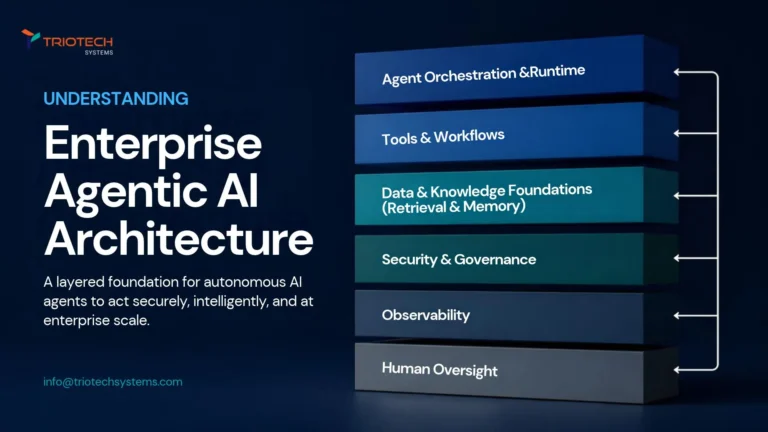
Enterprise Agentic AI Reference Architecture
Gartner projects that 40% of enterprise applications will feature task-specific AI agents by the end of 2026, up from under 5% just two years earlier, and…
Read articleBuilding on AI or the cloud?
Get a security architect's review of your cloud, CI/CD and AI agent permissions. Free.